
How to Delegate TRON Energy with Stake 2.0
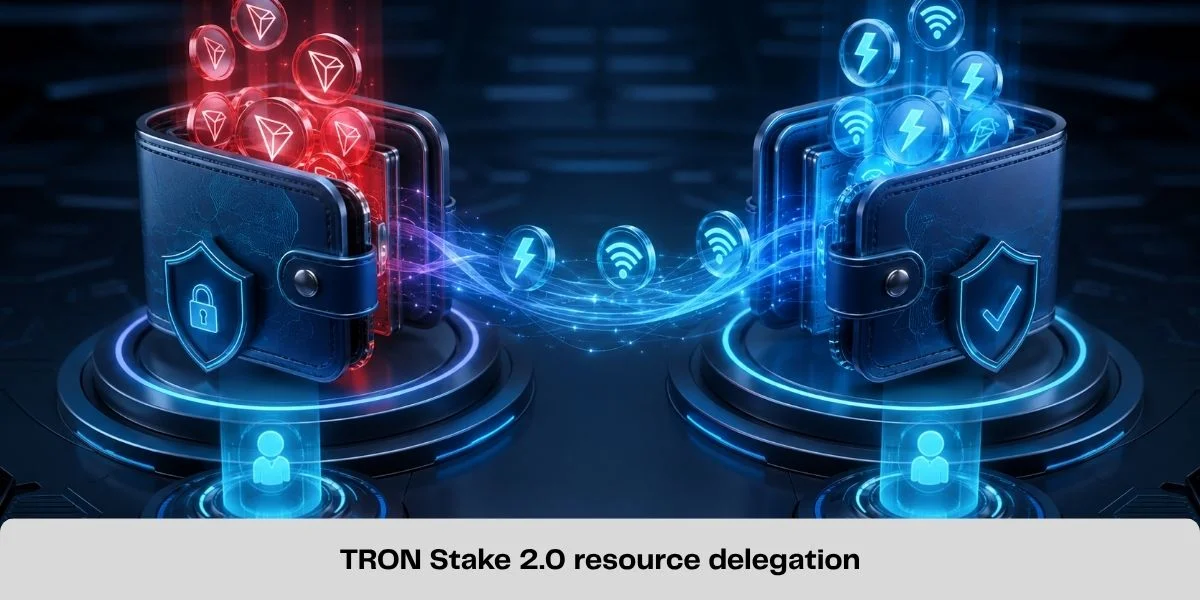
TRON Stake 2.0 allows an account that has staked TRX for Energy or Bandwidth to delegate unused resources to another activated TRON account. The recipient can use those resources for transactions, while the original owner keeps control of the staked TRX and the associated voting rights.
This mechanism supports Energy rental services, fee sponsorship and multi-wallet resource management. It is not a transfer of TRX or a token called "Energy"; it is a protocol-level allocation of network resources.
This guide focuses specifically on how TRON resource delegation works: eligibility requirements, locked and unlocked delegation, verification, undelegation and the mistakes that can cause a resource shortfall.
What Is TRON Resource Delegation?
Resource delegation is the process of assigning unused Energy or Bandwidth generated through Stake 2.0 to another TRON account.
The process involves two accounts:
- Delegator: the account that owns staked TRX and controls the generated resource;
- Recipient: the activated external account that temporarily receives the delegated resource.
The recipient can consume delegated Energy when executing smart contracts or delegated Bandwidth when broadcasting transactions. The underlying staked TRX does not move to the recipient.
Delegation also does not transfer TRON Power. The account that staked the TRX retains its voting rights and can continue participating in Super Representative voting, subject to the normal Stake 2.0 rules.
What Changed with Stake 2.0?
Stake 2.0 separated resource management into distinct operations. Staking, delegating, undelegating, unstaking and withdrawing expired unstaked funds can be managed independently through dedicated transaction types.
For resource holders, this provides more control than treating staking and resource assignment as one combined action. An account can stake TRX for a resource, delegate unused capacity and later reclaim it without transferring ownership of the staked funds.
This modular structure made automated allocation more practical. Commercial rental platforms can use the same native delegation capability, but their pricing and fulfillment systems are separate services-not features guaranteed by the TRON protocol.
For the complete staking lifecycle, voting rights and unstaking process, read How to Stake TRX.
Requirements for Delegating TRON Energy
Before attempting a delegation, verify these conditions.
1. The delegator must have Stake 2.0 resources
Only unused Energy or Bandwidth obtained from TRX staked through Stake 2.0 can be delegated. Holding liquid TRX is not enough.
2. The resource must be available
Consumed resources cannot be delegated. Check the resource limit, current usage and maximum delegable amount rather than relying on the total allocation alone.
3. The receiving account must be activated
TRON resource delegation can be sent only to an activated external account, not directly to a smart-contract address. Confirm the account state on TRONSCAN or through a compatible wallet.
4. The wallet must support Stake 2.0 transactions
Use an interface that clearly displays the resource type, recipient, amount and lock settings. Do not approve a transaction if the wallet cannot show what operation is being signed.
5. The delegator needs enough resources for the transaction itself
Delegating or undelegating is an on-chain transaction, so the originating account may still need Bandwidth or TRX to broadcast it.
What Can and Cannot Be Delegated?
| Item | Delegable? | Explanation |
|---|---|---|
| Unused Stake 2.0 Energy | Yes | Can be allocated to an activated external account |
| Unused Stake 2.0 Bandwidth | Yes | Can be allocated under the same native delegation model |
| TRON Power | No | Voting rights remain with the account that staked TRX |
| Voting rewards | No | Rewards are separate from resource delegation |
| Liquid TRX | No | Sending TRX is an asset transfer, not resource delegation |
| Already consumed resource | No | Only currently delegable capacity can be assigned |
| Resources to a contract address | No | The recipient must be an activated external account |
Energy should not be described as a transferable token. A delegation transaction changes which account can use a portion of the resource generated by a Stake 2.0 position.
How to Delegate TRON Energy Step by Step
The interface varies between TRONSCAN, TronLink and other compatible wallets, but the checks remain the same.
Step 1: Confirm the staked position
Open the Stake 2.0 section and verify that TRX has been staked for Energy. A Bandwidth position cannot supply Energy.
Step 2: Check available and delegable Energy
Review the Energy limit, current usage and delegable amount. Do not assume the entire displayed limit is available.
Step 3: Verify the recipient
Copy the recipient's public TRON address and confirm that it is:
- the intended account;
- an activated external account;
- not a contract address;
- on the TRON network.
The address cannot be edited after confirmation.
Step 4: Choose Energy as the resource type
Select Energy rather than Bandwidth when the recipient needs smart-contract computation-for example, to send TRC20 USDT.
Delegating Bandwidth does not provide the smart-contract computation required for a USDT transfer.
Step 5: Enter the delegation amount
Choose an amount within the current delegable capacity. Do not rely on an old fixed estimate; Energy consumption can change with contract state and network parameters.
Step 6: Review lock settings
Stake 2.0 allows resource delegation with or without a time lock.
Confirm whether the delegation is locked, the displayed lock period and when the resource may be reclaimed.
Step 7: Sign and broadcast
Review the transaction type, resource, amount and recipient, then sign it. Native delegation does not require the recipient's private key or seed phrase.
Step 8: Verify on-chain delivery
After confirmation, verify that the delegator shows the assigned resource and the recipient shows the additional balance. Do not rely only on an application notification.

Locked vs Unlocked Resource Delegation
Stake 2.0 supports a lock option when delegating resources.
Unlocked delegation
When no lock is enabled, the delegator can normally initiate undelegation without waiting for a preset lock period. Protocol rules governing consumed resources and reclamation still apply.
Locked delegation
When a lock is enabled, the delegated resource cannot be canceled until the specified lock period ends.
If the same resource is delegated again to the same address with lock settings, the existing lock timing may be affected. Review the current position before adding another locked delegation.
Unlocked delegation gives the owner more flexibility; locked delegation gives the recipient a defined minimum period. A rental platform's advertised duration should correspond to the actual arrangement, but users should verify its terms.
How to Verify a TRON Energy Delegation
Do not rely only on a platform order status. Check:
- Transaction confirmation: the delegation transaction was successfully confirmed on-chain.
- Correct recipient: the transaction identifies the intended public TRON address.
- Correct resource: Energy-not Bandwidth-was delegated when smart-contract computation is required.
- Account resource update: the recipient's resource data reflects the delegation.
Energy is not a TRC20 asset, so it will not appear in the token balance list or have a token contract address.
How to Undelegate TRON Energy
Undelegation reclaims a resource allocation from the recipient and returns control of that allocation to the delegator, subject to lock and usage conditions.
To undelegate:
- Open the delegator account's Stake 2.0 or resource-management section.
- Locate resources delegated to other accounts.
- Select the recipient and resource type.
- Review the amount available for undelegation.
- Confirm that any lock period has ended.
- Sign and broadcast the undelegation transaction.
- Verify the updated resource state on both accounts.
Undelegating Energy does not transfer the recipient's USDT or TRX. It only changes the resource allocation.
Delegation is not unstaking
Undelegation and unstaking are different operations:
- Undelegation reclaims Energy or Bandwidth from another account.
- Unstaking begins the process of releasing the underlying staked TRX.
Resolve the relevant delegation before attempting to unstake its supporting TRX. Current documentation specifies a 14-day pending period after unstaking, but this governance-controlled parameter should be rechecked.
What Happens When Delegated Energy Has Been Used?
If the recipient consumes delegated Energy, available capacity falls. Undelegation does not erase that usage, and the effect can remain in the delegator's resource state until recovery. Providers should therefore monitor current usage, recovery, active locks and maximum delegable capacity instead of assuming reclaimed Energy is immediately fully available.
Delegating Your Own Energy vs Renting Energy
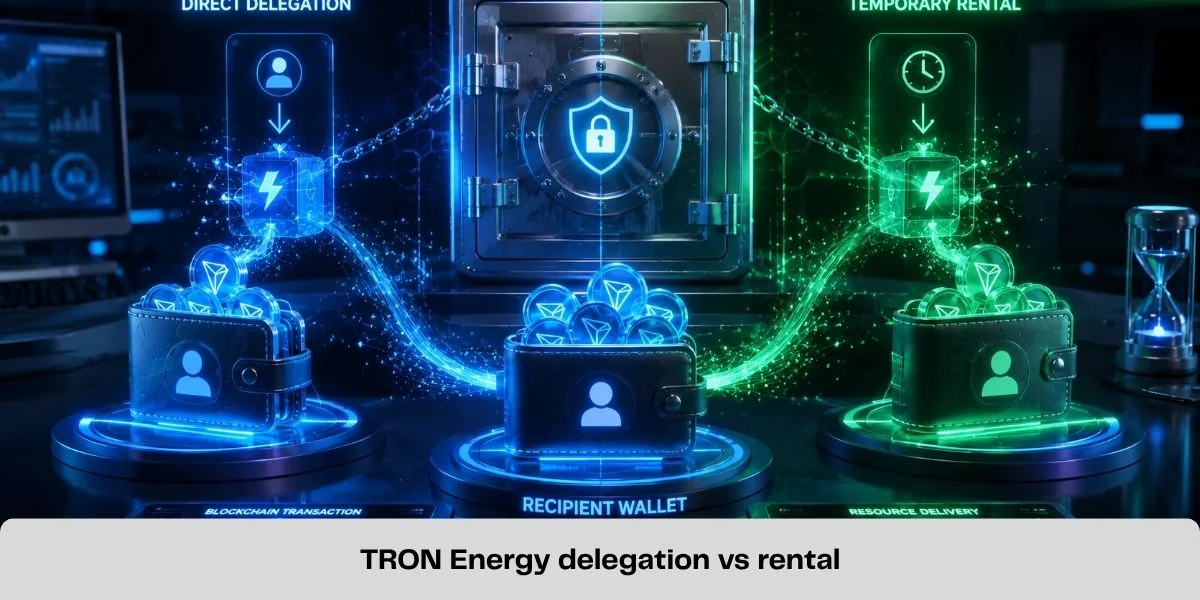
Resource delegation describes the protocol operation. Energy rental describes a commercial arrangement built around that operation.
Direct delegation suits users who control staked TRX and want to allocate resources between accounts. Rental may suit users who need temporary Energy without maintaining their own staking position.
The protocol does not guarantee a rental platform's price, delivery time, liquidity or support quality. Those are service-level factors that must be evaluated separately.
For a full consumer comparison, read TRON Energy Rental vs Staking TRX. Users who choose temporary delegated resources can rent TRON Energy through the official TronMax platform after reviewing the live amount, duration and price.
Security and Operational Risks
- Verify the full recipient address and account state before signing.
- Never share a private key or recovery phrase; a public address is sufficient.
- Distinguish resource delegation from token approvals, permission updates and asset transfers.
- Confirm lock settings before committing resources needed elsewhere.
- Account for current usage, recovery and active delegations.
- Verify delivery on-chain rather than trusting only a provider dashboard.
For phishing, wallet permissions and rental-provider risks, read Is Renting TRON Energy Safe?.
Common Resource Delegation Mistakes
| Mistake | Why it causes a problem |
|---|---|
| Delegating Bandwidth for a USDT contract call | USDT execution requires Energy in addition to transaction Bandwidth |
| Using an unactivated recipient | Native delegation requires an activated external account |
| Delegating to a contract address | Stake 2.0 delegation targets an external account, not a contract account |
| Ignoring current resource usage | Consumed capacity is not available for a new delegation |
| Assuming every delegation is unlocked | A configured lock can prevent early undelegation |
| Sending the recipient's private key | Native delegation needs only the public receiving address |
| Confusing undelegation with unstaking | Reclaiming resources and releasing staked TRX are separate operations |
Frequently Asked Questions
Can I delegate TRON Energy without transferring TRX?
Yes. Native resource delegation allocates Energy generated by staked TRX without transferring ownership of the TRX to the recipient.
Does the recipient need to share a private key?
No. The delegator needs the recipient's public TRON address. A request for the recipient's seed phrase, private key or wallet password is not part of native resource delegation.
Can TRON Power be delegated?
No. Stake 2.0 allows delegation of unused Energy and Bandwidth. Voting rights remain with the account that staked the TRX.
Can I delegate Energy to a new TRON address?
The recipient must be an activated external account. Check the address on TRONSCAN before attempting the delegation.
Can delegated Energy be reclaimed immediately?
It depends on the delegation settings. An unlocked delegation can generally be canceled without a preset waiting period, while a locked delegation cannot be reclaimed until its lock period expires. Resource usage can also affect the delegator's available capacity after reclamation.
How much Energy should I delegate for a USDT transfer?
There is no permanent amount that covers every transaction. Current official examples commonly show a lower requirement when the recipient already has a USDT balance and a higher requirement when it does not. Contract and network parameters can change, so estimate the transaction close to execution rather than hard-coding an old package size.
Final Checklist for Stake 2.0 Delegation
Before signing a delegation transaction, confirm:
- the delegator has unused Stake 2.0 Energy;
- the recipient is the correct activated external account;
- Energy-not Bandwidth-is selected for the intended smart-contract use;
- the amount is within current delegable capacity;
- lock settings and duration are understood;
- no private key or seed phrase is being shared;
- the transaction type is resource delegation;
- the completed delegation is verified on-chain.
Stake 2.0 delegation is a resource-management tool, not a shortcut that removes the need for verification. When the account type, resource availability, recipient and lock settings are checked correctly, it provides a flexible way to allocate Energy without transferring the underlying TRX.
Official TRON Resources
Related Guides
How to Send USDT on TRON Without TRX for Network Fees
Learn how to send USDT on TRON without burning TRX for network fees by using TRON Energy. Check the required Energy and reduce TRC20 transfer costs.

Best TRON Wallets for TRX, USDT and Energy Management
Compare five TRON wallets for TRX, USDT and Energy management: TronLink, SafePal, imToken, Trust Wallet and Ledger with TronLink.
How Much Energy Does a USDT Transfer Require on TRON?
A TRON USDT transfer commonly needs about 65,000 or 131,000 Energy. Learn what determines the amount and how to estimate your shortfall.
How to Stake TRX: Energy, Bandwidth and Voting Rewards
Learn how to stake TRX with Stake 2.0, choose Energy or Bandwidth, vote for Super Representatives and unstake safely.